
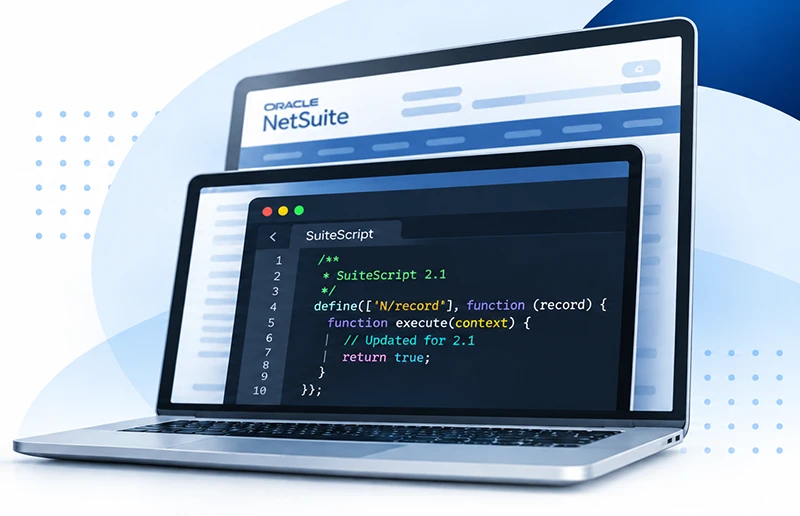
SuiteScript 2.1 Migration Tool
Know Your Scope Before You Start
Know what’s in your account
Budget with confidence
Start early, before migration becomes urgent
What We Handle
Script Inventory
Tool-Driven Migration
Sandbox Testing
Migrated scripts are tested in your NetSuite sandbox before anything is moved into production.
Deployment & Handover
Once testing is complete, we deploy the migrated scripts to production and walks your team through the changes.
Get Fixed Pricing by Script Count
Tier 1
Tier 2
Tier 3
Tier 4
Tier 5
Custom
How to Find Your NetSuite Script Count

Open the Scripts List
Monitor earned, eligible, authorized and paid commissions from one dashboard. Review amounts awaiting authorization or billing, track results by period and schedule, and see top earners and recent clawbacks.
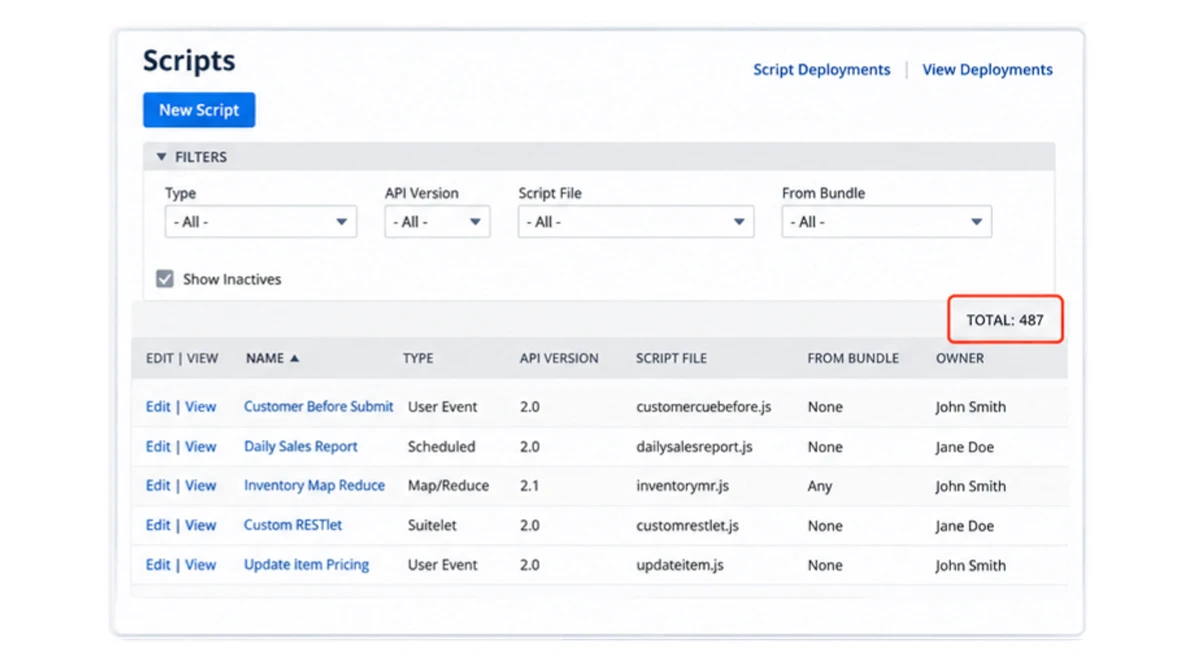
Review Your Total
The Scripts page shows your script name, type, and script file.
Look at the TOTAL shown on the page to see how many scripts match your current filters.
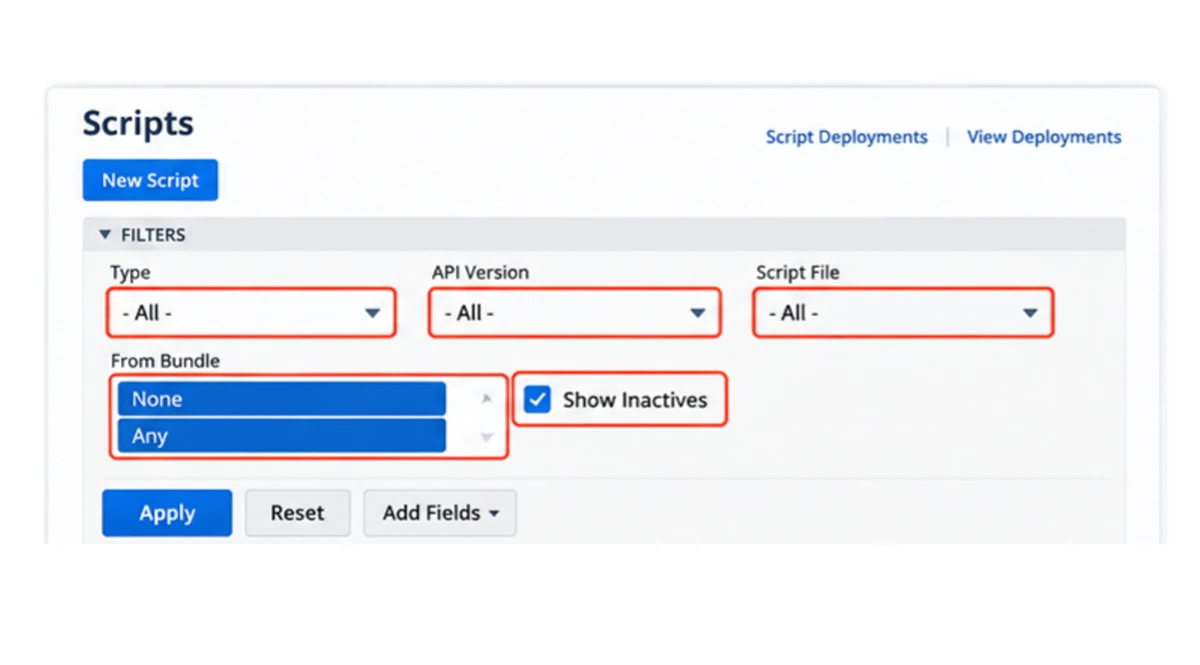
Adjust the Filters
This is the important part.
To get a more complete view of your scripts:
– Type: All
– API Version: All
– Script File: All
– From Bundle: Review both None and Any
– Show Inactives: Checked
By default, NetSuite may show only scripts created directly in your account. Scripts installed through bundles or SuiteApps may be hidden depending on the From Bundle filter.
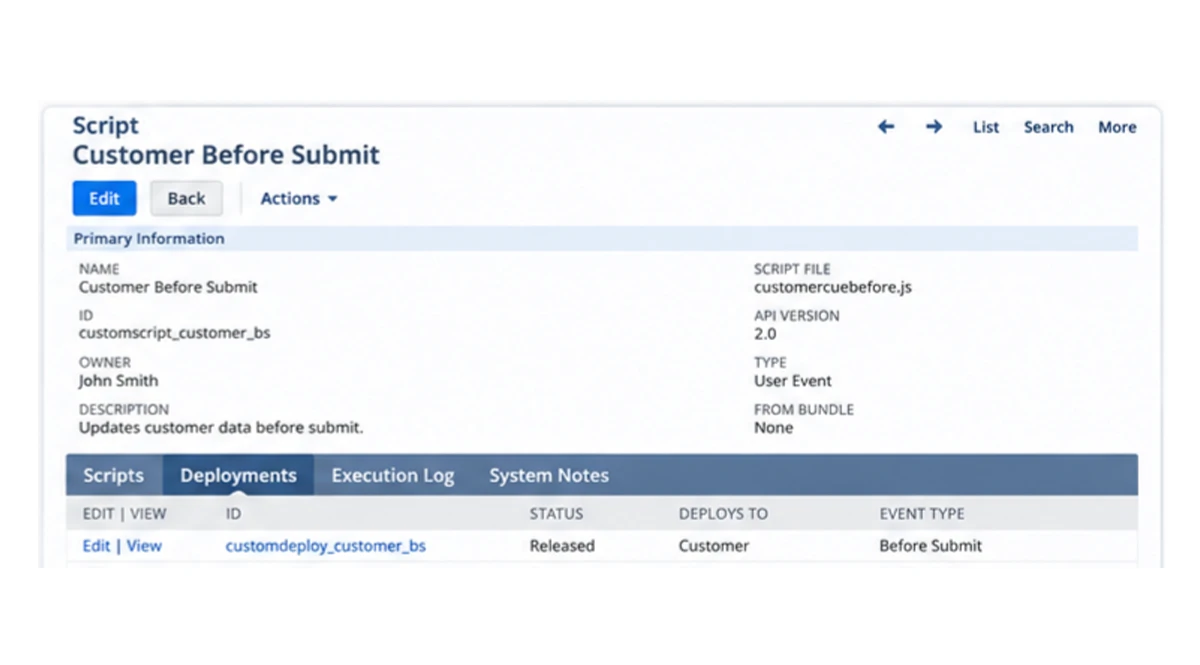
Review Individual Scripts
Open a script record to see additional information including the script file, owner, description, deployments, deployment status, records where the script runs, and recent execution logs or errors.
Important
If your script count looks lower than expected, check the From Bundle filter first. Some scripts installed through SuiteApps or bundles may not appear when the filter is set only to None. Some bundles may also hide their components.
Already Know Your Script Count?
Request SuiteScript 2.1 Migration Pricing

Plan today. Start early and avoid unnecessary workflow issues in your NetSuite account.
FAQs
How is SuiteScript migration pricing calculated?
Pricing is based on the number of scripts included in scope. Each tier has a fixed fee, while environments with more than 100 scripts are scoped separately.