
Field Operations Pro
NetSuite Field Service Software
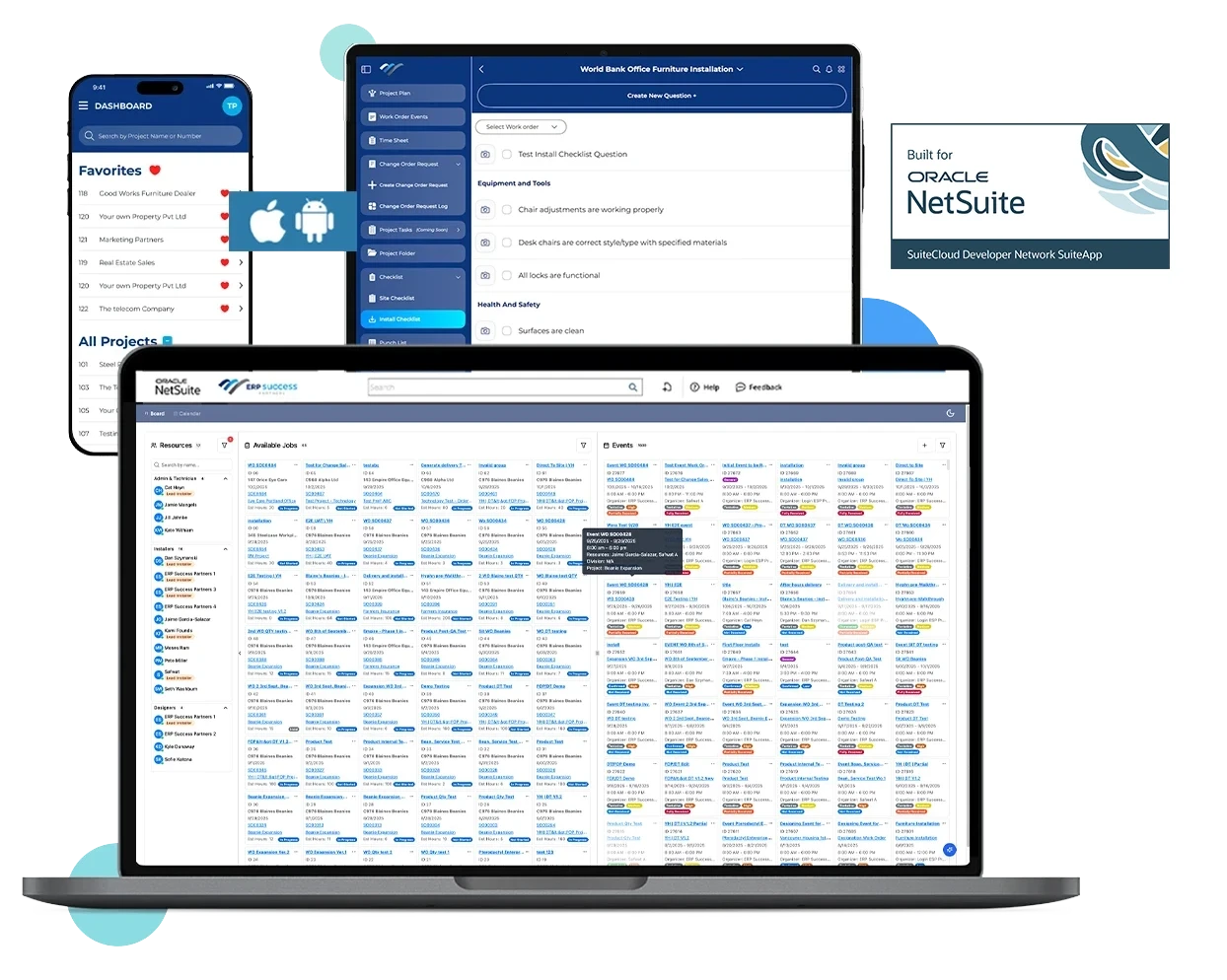
Field Operations Pro brings scheduling, work orders, technicians, onsite documentation, and job visibility into one connected workflow—so your teams can manage field activity without losing sight of what happens beyond the office.
NetSuite Next Ready | Mobile App for iOS & Android | Field Service + Project Management
Connect Your Field Teams and Back Office in NetSuite
Field Operations Pro is designed for NetSuite organizations that need to connect field execution with the systems and teams already managing their operations.
Fully Native to NetSuite
Real-time scheduling, dispatching & routing
Mobile-first interface for field technicians
Integrated work order management
Location tracking and time logging

“Construction schedules are tight. With Field Operations Pro, we can instantly provide status updates to general contractors, IT, and marketing stakeholders — keeping everyone aligned and confident in our delivery.”
Amanda Berman. Senior Project Manager, Perception Marketing
Challenges Slowing Down Your Field Operations
Your dispatchers manage schedules. Your technicians complete work onsite. Your project teams need updates. Your back office needs accurate information. When those activities are coordinated through spreadsheets, calls, emails, and disconnected applications, visibility disappears exactly where it matters most.
Field Operations Pro connects these moving parts through one field operations workflow built around NetSuite.
Scheduling Requires Too Much Coordination
Technicians Lack Complete Job Information
Documentation Arrives Late or Incomplete
Limited Back Office Visibility
A Connected Workflow Within & Beyond NetSuite
1
Schedule Work
Organize work orders in NetSuite and assign the right field resources.
2
Equip Technicians
Give field teams mobile access to job details, documents, and assignments.
3
Capture Work Onsite
Record time, complete checklists, upload photos, and collect signatures.
4
Keep the Office Updated
Track job progress, outstanding issues, and next steps through NetSuite.
Field Industries Served
Field Operations Pro has been built for all service-driven NetSuite users.
Contract Furniture & Installation
Coordinate installation crews, site activity, punch items, and customer sign-offs.
Construction & Contracting
Manage project assignments, field updates, checklists, and onsite documentation.
Industrial Equipment & Machinery
Schedule technicians, document service activity, and keep office teams informed.
Distribution & Delivery
Track field assignments and capture completion documentation.
Facilities & Building Services
Organize service visits, complete checklists, and document work performed onsite.
Audio Visual & Project Installation
Keep installation teams, project managers, and stakeholders aligned.
Drag-And-Drop Scheduling Within NetSuite
Reduce Installation Delays and Improve Efficiency
Real-time Job Tracking & Technician Updates
Optimize Resource Allocation
Monitor performance, track KPIs and make the right decisions
Mobile App Control
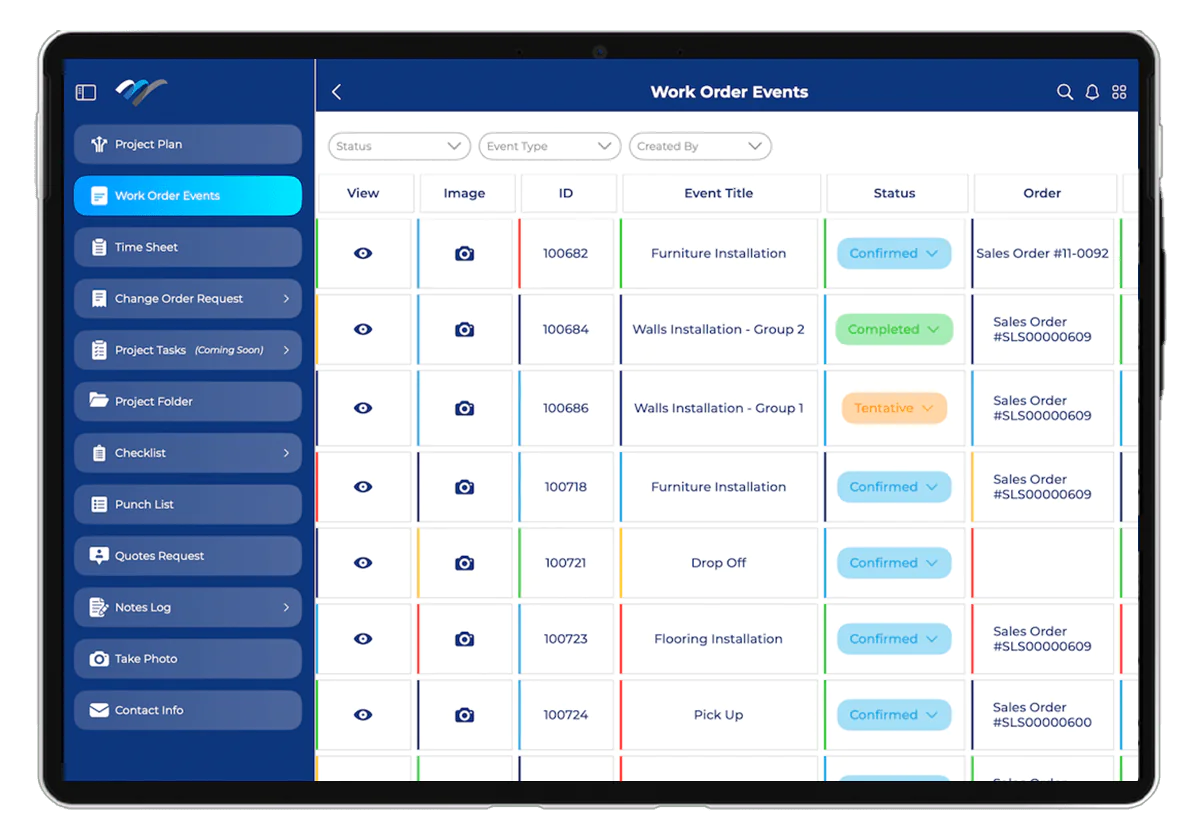
Keep a detailed log of all work order activities with the Work Order Events List. Track job assignments, technician status updates, customer approvals, and completion timestamps in real time. This chronological record enhances transparency, simplifies reporting, and ensures smooth project execution.
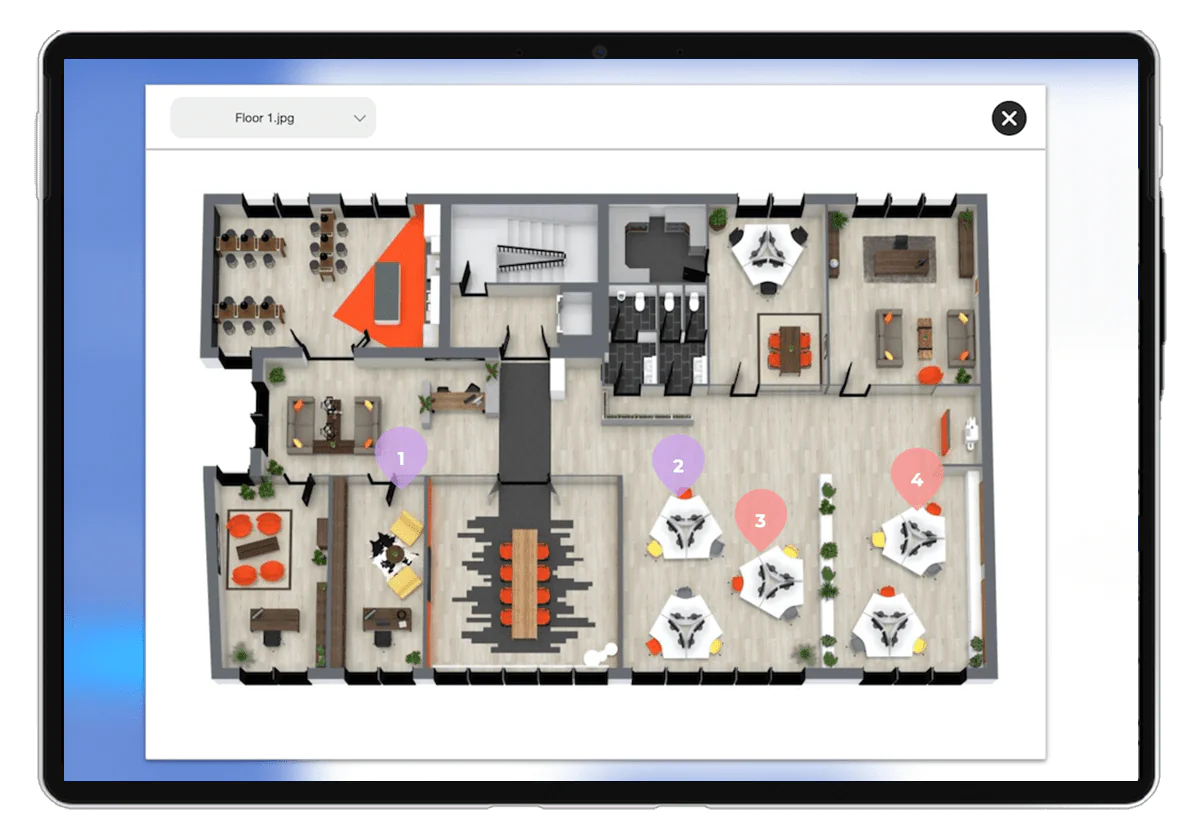
Enhance project precision with interactive Floor Plan Tags. This feature allows field teams to mark specific areas on a floor plan, add instructions, assign tasks, and attach notes or photos. Ensure that every technician knows exactly where to work, reducing miscommunication and improving installation accuracy.

Stay on top of your field operations with real-time Dashboard Reporting. Monitor key performance metrics, track work order progress, and analyze technician efficiency—all from a single, intuitive interface. Gain valuable insights to optimize scheduling, resource allocation, and service delivery.
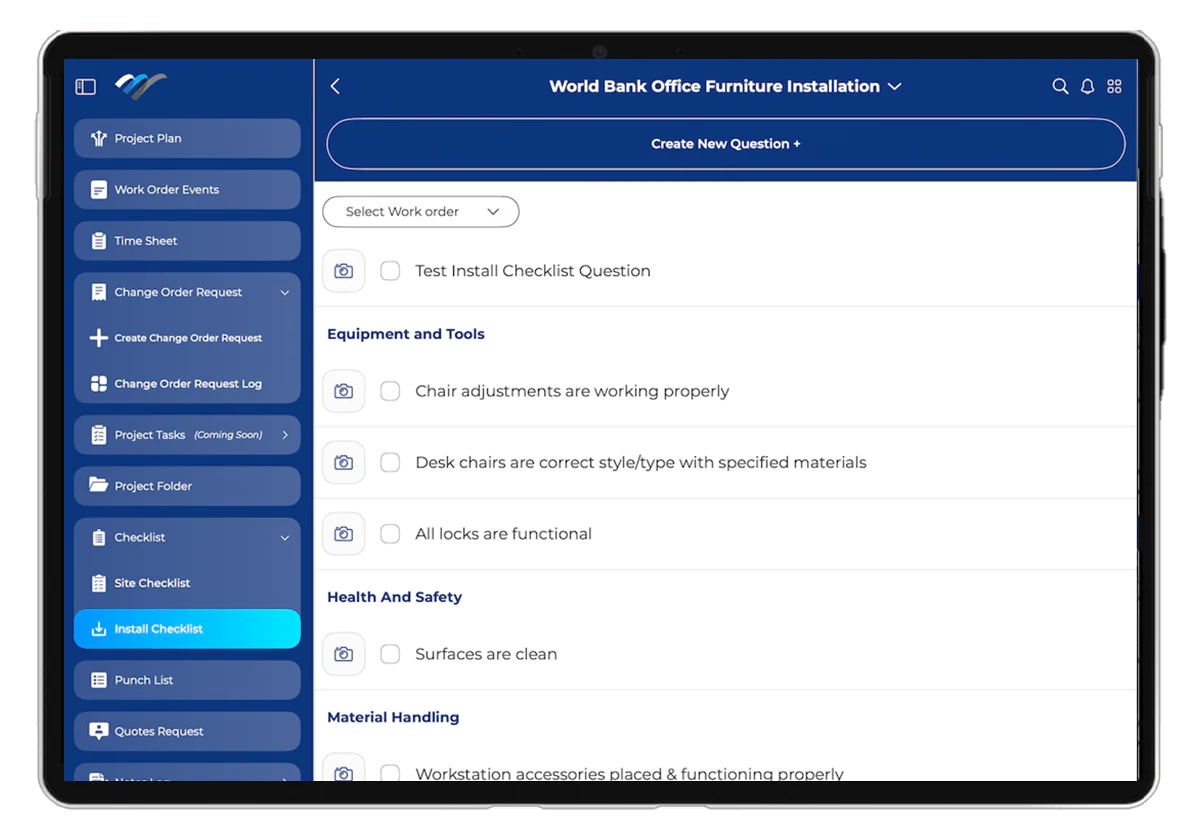
Ensure a seamless installation process with a structured Install Checklist. Technicians can follow step-by-step task lists, mark completed activities, and capture notes or images for verification. Reduce errors, improve compliance, and maintain consistency across all field operations.
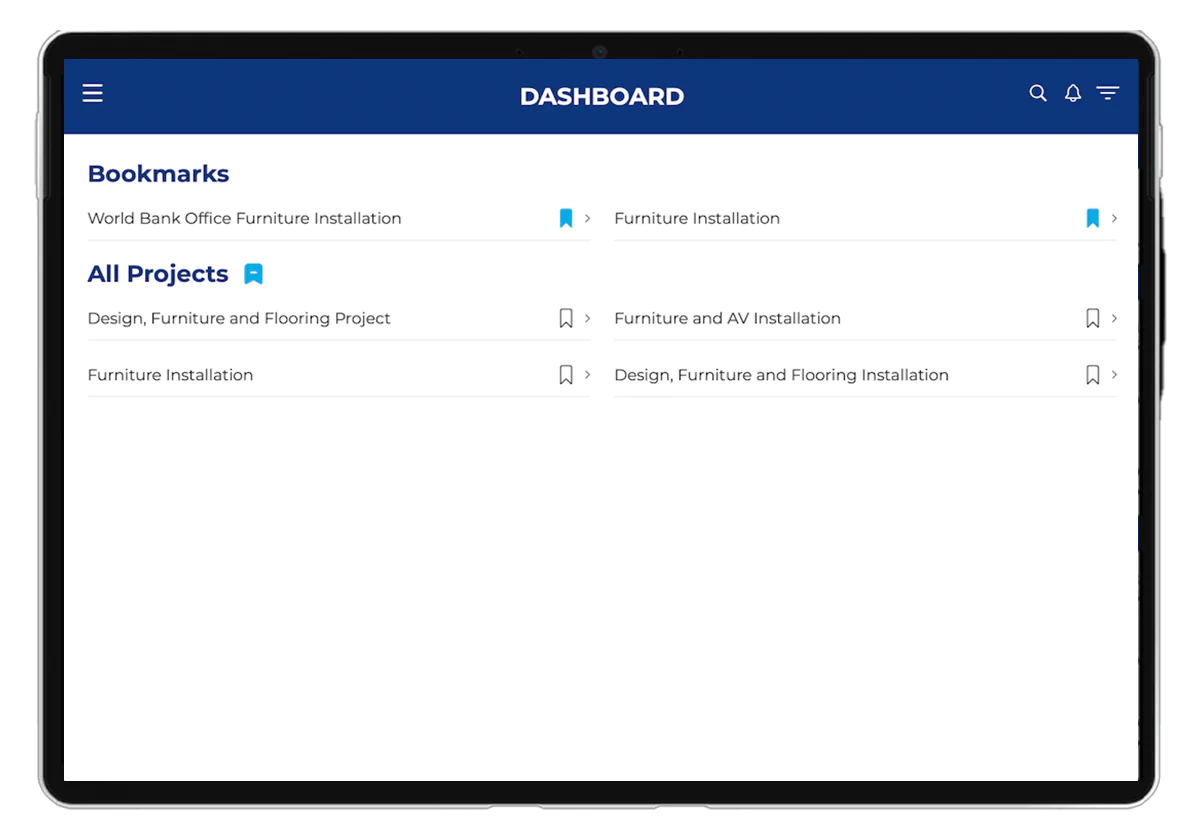
Manage multiple projects effortlessly with the Project Dashboard. View an organized summary of ongoing tasks, assigned technicians, job statuses, and upcoming deadlines. This centralized hub provides instant access to critical project details, ensuring teams stay aligned and on schedule.

Eliminate paperwork and keep all project-related documents in one secure location with the Project Folder. Store blueprints, contracts, work orders, inspection reports, and site photos for easy reference. Field teams can quickly access the information they need without delays or miscommunication.

Streamline project execution with a structured Project Plan. Define key milestones, set task priorities, assign responsibilities, and track real-time progress. With clear visibility into deadlines and dependencies, teams can ensure timely project completion with minimal disruptions.
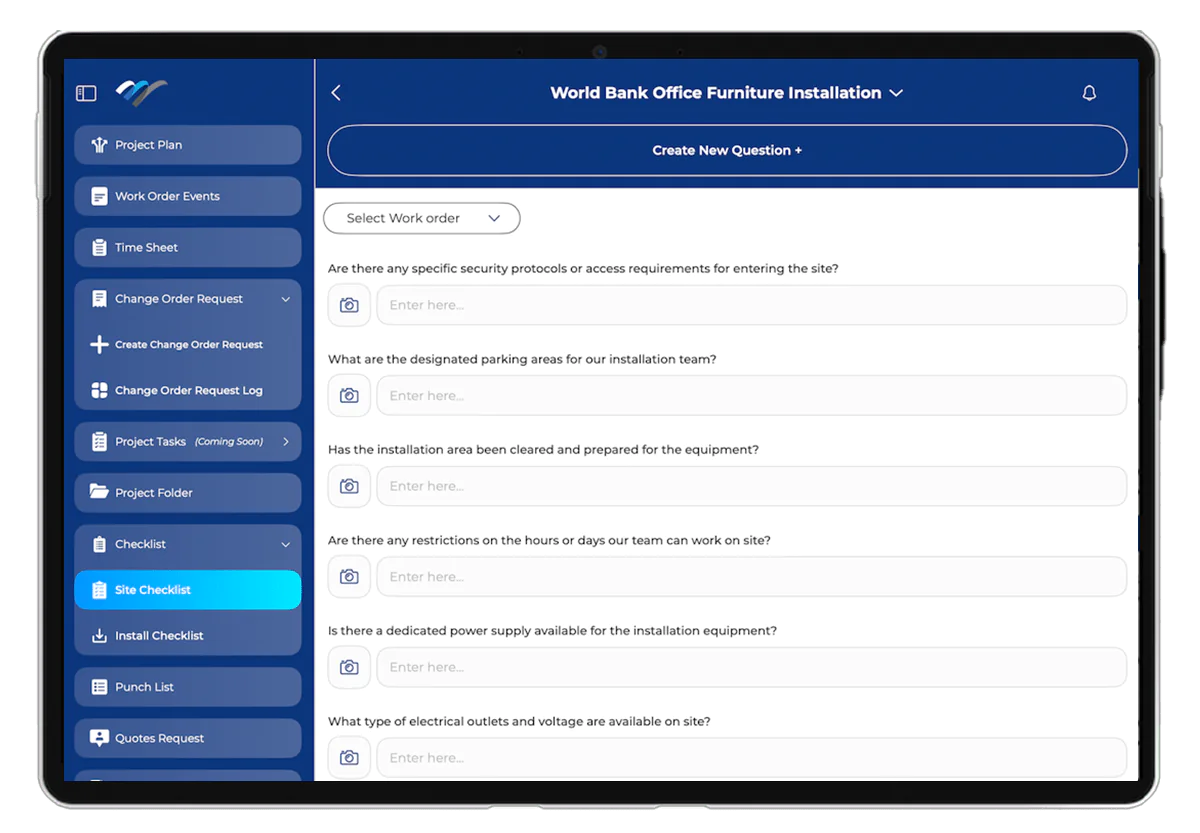
Conduct thorough pre-installation and post-installation checks with the Site Checklist. Verify that all site conditions are met before technicians begin work, ensuring safety and compliance. Capture site observations, upload images, and document any issues for better project tracking and accountability.
Success Stories
|| AUDIO/VISUAL PRODUCTION
Perception Marketing Transforms Field Service Management for AV Projects with Field Operations Pro
|| RESIDENTIAL INTERIOR DESIGN
COC Interiors Transforms Field Service for Residential Projects with Field Operations Pro in NetSuite
|| CONTRACT FURNITURE
Crossover Consultants Elevates Field Service Operations within NetSuite by adopting Field Operations Pro
Request Field Operations Pro Demo

Give Your Field Teams and Back Office One Connected Workflow. See how Field Operations Pro helps redefine field service success.
FAQs
Is Field Operations Pro fully integrated with NetSuite?
Yes, it is built natively on NetSuite, ensuring seamless functionality.
What Industries does it work best with?
There are no Industry limitations. Field Operations Pro adapts to any industry featuring On-Field Services. For example Contract Furniture, HVAC, plumbing, facilities maintenance, equipment servicing, field inspections, and more.
Does it work on mobile devices?
Yes, technicians can access and update jobs on the go via our user-friendly mobile app available on Android and iOS.
Can I customize workflows?
Absolutely! You can tailor workflows based on your business needs.
How does Field Operations Pro improve scheduling?
Our smart scheduling and dispatching feature ensures technicians are assigned jobs efficiently based on availability and location.
What about customer support?
As our valued customer, we offer dedicated support to ensure the software runs smoothly for your business.